Imagine a world where every customer interaction feels like magic, where businesses anticipate needs before they’re even expressed. This is the power of CRM software—your ultimate tool to revolutionize customer relationship management. But here’s the catch: migrating data to these wonders of technology can feel like crossing a perilous bridge. Fear not, because armed with the right knowledge and strategies, your journey to CRM nirvana can be a smooth, rewarding ride.
Embark on this adventure with us as we unravel the mysteries of data migration to CRM software. We will equip you with the insights needed to overcome any obstacle, transforming this technical challenge into a triumph for your business. Let’s turn the daunting into the doable, and the complex into a clear path to success.
Understanding CRM Software

In the fast-paced world of business, staying connected with customers is key. CRM software acts as the bridge that not only maintains but strengthens these vital relationships. Let’s dive into the realm of CRM and uncover how it transforms business operations.
CRM software, standing for Customer Relationship Management, is a powerful tool designed to streamline interactions, ensuring that every customer experience is a seamless one. By efficiently managing data, automating routine tasks, and providing insightful analytics, CRM software empowers businesses to nurture customer relationships like never before.
Key Functions and Benefits of CRM Software
At its core, CRM software is like a Swiss Army knife for businesses. It offers a suite of functions that cater to various aspects of customer relationship management. From contact management to sales automation and customer support, CRM software ensures that all customer interactions are tracked and optimized. This leads to improved customer satisfaction, enhanced efficiency, and ultimately, increased revenue. Additionally, CRM systems provide valuable analytics that can inform strategic decisions, helping businesses anticipate customer needs and tailor their offerings accordingly.
Overview of Different Types of CRM Software
The CRM market is rich with options, each bringing unique capabilities to the table. Here’s a glimpse at the most popular types of CRM software available:
- Operational CRM: Focuses on streamlining business processes by automating marketing, sales, and service functions.
- Analytical CRM: Emphasizes data analysis to understand customer behavior and improve decision-making.
- Collaborative CRM: Aims to enhance communication and collaboration across different departments to serve customers better.
Choosing the right type of CRM software largely depends on your business’s specific needs and objectives. Each type offers distinct features that cater to various aspects of customer relationship management, ensuring a tailored approach to customer interactions.
The Role of CRM Software in Enhancing Customer Relationship Management
CRM software is not just a tool; it’s a game-changer in the realm of customer engagement. By centralizing customer information and facilitating effective communication, CRM software allows businesses to deliver personalized experiences that resonate with their audience. A noteworthy phrase in the CRM world is:
“Know thy customer, serve thy customer.”
This philosophy underpins the essence of CRM, where understanding customer needs and preferences leads to stronger relationships and, ultimately, loyal customers. The strategic implementation of CRM software results in a responsive, informed, and customer-focused business model.
Preparing for Data Migration
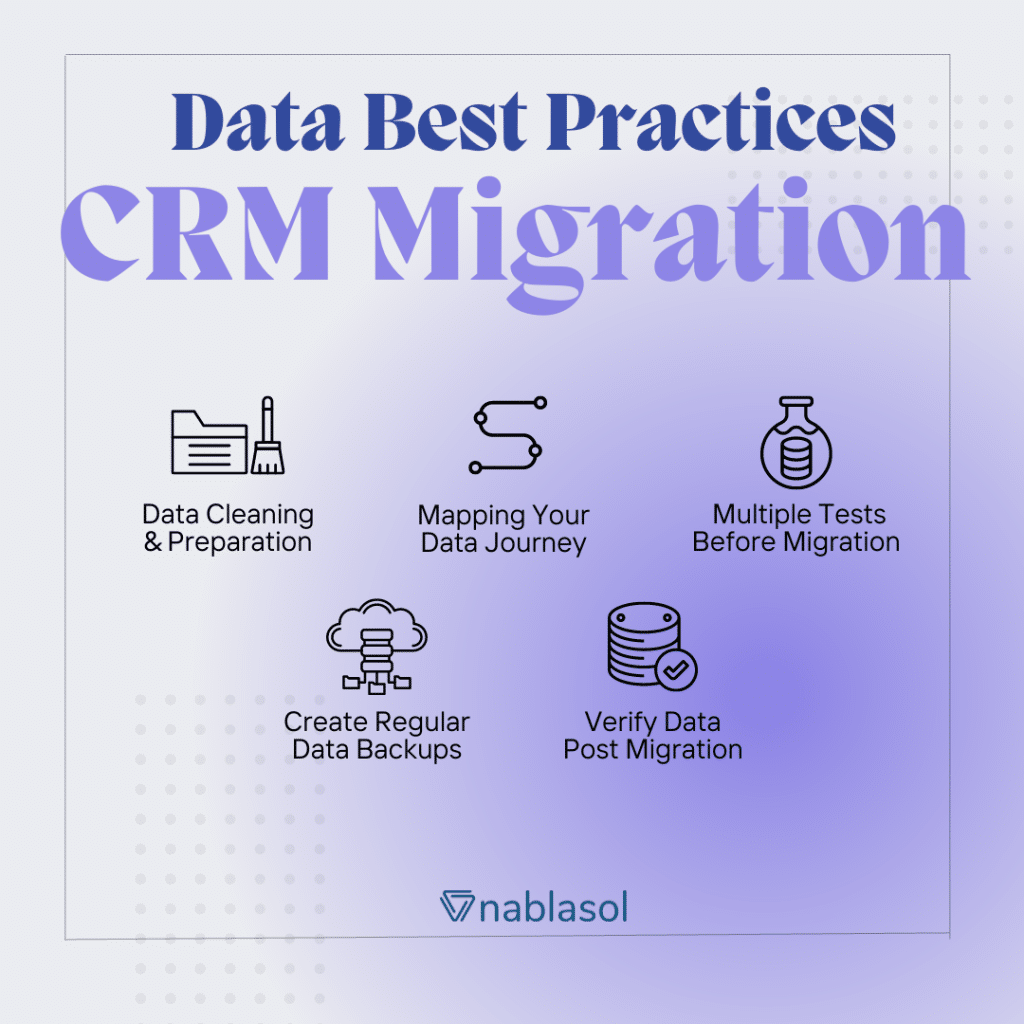
Embarking on a data migration journey can be a daunting task, but with the right preparation, it transforms into a seamless adventure. This is your roadmap to ensuring your data fits perfectly into your new CRM software.
Understanding the importance of data quality and integrity is pivotal in this transition. Preparing your data meticulously not only ensures a smooth migration but also sets the stage for thriving customer relationships.
Essential Steps for Preparing Data
Before diving into data migration, it’s crucial to identify the data that will be transferred. Not all data is necessary; focus on information that directly contributes to CRM functionalities. Begin by conducting a data audit to pinpoint what is valuable and what can be left behind.
A pivotal part of preparation is ensuring compatibility. Check that your data is formatted correctly for the new CRM system. This includes verifying fields, formats, and any specific data requirements of the CRM. If your data comes from multiple sources, standardize it to avoid integration hiccups.
Best Practices for Data Cleansing and Validation
Data cleansing is like giving your data a refreshing bath before it enters its new home. This process involves:
- Removing duplicates: Ensure each record is unique to prevent data bloat.
- Correcting errors: Fix typos and formatting issues that could impede CRM functionalities.
- Standardizing entry formats: Align entries to a consistent style to maintain data integrity.
Validation is a crucial follow-up step, ensuring that your data meets all necessary criteria for the new system. This involves checking data against predefined standards, ensuring accuracy, completeness, and consistency.
Checklist for Pre-Migration Data Assessment
Before you migrate, tick off this comprehensive checklist to ensure readiness:
- Identify essential data for migration.
- Conduct a thorough data audit to assess quality.
- Ensure data compatibility with the new CRM format.
- Complete data cleansing and validation processes.
- Prioritize data entries based on business needs and goals.
Remember, a diligent pre-migration assessment can avert potential setbacks, saving time and resources.
Plan for Data Backup and Risk Management
Prevent data disasters by implementing a robust backup strategy and risk management plan. Backing up your data ensures that nothing is permanently lost if things don’t go as planned.
Create a secure backup of all data, and store it in multiple locations. This could include cloud-based solutions and external storage devices. Additionally, develop a risk management plan to identify potential threats and establish mitigation strategies.
Adopting these measures ensures that your data remains protected, providing peace of mind throughout the migration process.
Data Mapping and Transformation

Embarking on the journey of data migration is like setting sail on uncharted waters. Data mapping and transformation serve as the compass and sails, ensuring your data reaches its new CRM destination efficiently and accurately.
Without meticulous data mapping, the migration process can lead to chaos and confusion. It’s the backbone of any successful data move, ensuring that every piece of information is correctly aligned and positioned within your new CRM system.
Ensuring Seamless Integration
The process of data mapping involves creating a detailed plan that artikels how each piece of data from the current system will translate into the new CRM format. This meticulous planning is crucial as it guarantees that data is consistently formatted and correctly positioned within the new system, reducing the likelihood of errors.
Key steps include identifying data fields in the old and new systems, aligning them based on their functional similarity, and ensuring the data types are compatible. This alignment process ensures that no information is lost and that every customer record is preserved with its integrity intact.
Transforming Data for CRM Compatibility
Data transformation is about reshaping your existing information to meet the specific requirements of the new CRM system. This involves converting data formats, cleaning up inconsistencies, and standardizing entries to fit the CRM’s parameters.
“Transformation is key in ensuring your data doesn’t just survive the move, but thrives in its new environment.”
By leveraging transformation rules, you ensure that all entries adhere to the CRM’s standards, from date formats to field lengths and value ranges. This preparation is critical for maintaining data accuracy and utility post-migration.
Mapping and Transformation Table
Visualizing the process can often simplify understanding. Below is an artikel example of how data mapping and transformation might look:
| Source Data | Destination Data | Transformation Rules | Notes |
|---|---|---|---|
| Customer ID | Client ID | Retain original value | Ensure unique ID mapping |
| Full Name | Name | Separate into First and Last | Standardize capitalization |
| Registration Date | Sign-Up Date | Convert to YYYY-MM-DD | Check for missing values |
| Contact Number | Phone Number | Format to (###) ###-#### | Verify active status |
Migration Tools and Techniques

Navigating through the sea of data migration options can be daunting, but choosing the right tools and techniques is key to a seamless transition to CRM software.
This section delves into popular tools used for data migration, compares diverse techniques, and provides guidance on selecting the perfect solution tailored to your project needs.
Overview of Popular Data Migration Tools
Choosing the right tool can make or break your CRM data migration project. Here are some of the most popular tools that professionals often rely on:
- Talend: Known for its open-source capabilities and flexibility, Talend offers a robust platform for data integration and migration.
- Mulesoft: This tool stands out for its ability to connect applications, data, and devices seamlessly, making it ideal for complex data environments.
- Informatica: A leader in the data management arena, Informatica provides powerful solutions for cloud data management and migration.
- Microsoft Azure Data Factory: A cloud-based data integration service that automates the movement and transformation of data.
- Skribe: Known for its easy setup and real-time data syncing, Skribe is excellent for CRM-specific migrations.
Comparing Data Migration Techniques
Understanding various techniques can greatly enhance your data migration strategy. Here’s a comparison of common methodologies:
| Technique | Use Case |
|---|---|
| ETL (Extract, Transform, Load) | Ideal for projects where data needs to be cleaned and transformed before loading into the CRM. |
| ELT (Extract, Load, Transform) | Best for cloud-based environments where transformation happens post-loading, using powerful cloud resources. |
| Data Replication | Used for real-time data syncing where constant updates are needed from legacy systems to CRM. |
| Data Virtualization | Perfect when you need to access data in real-time without actually moving it physically into the CRM. |
Selecting the Right Tool for Your Project
Finding the perfect fit for your CRM migration project is a combination of understanding your specific needs and the capabilities of each tool. Here are key considerations:
- Assess the volume and complexity of data: Choose a tool that handles your data size and structure efficiently.
- Budget constraints: Some tools offer more features but at a higher cost, while others provide basic functionalities at lower prices.
- Consider the technical expertise of your team: Opt for tools that match your team’s skill level to ensure smooth implementation.
- Evaluate integration capabilities: Ensure compatibility with your existing systems and CRM platform.
“The right tool not only migrates data but also transforms your CRM into a powerhouse of insights and efficiency.”
Executing the Data Migration

Embarking on the journey of data migration to your CRM is like setting sail into a promising sea of opportunities. With a clear compass and sturdy ship, you’re ready to transfer your valuable data safely and securely.
To ensure a smooth transition, it’s crucial to have a well-structured plan and an understanding of the critical steps involved in executing data migration. This process should be handled with precision, as it forms the backbone of your CRM’s success.
Step-by-Step Guide for Data Migration
Executing data migration requires meticulous attention to detail and a solid strategy. Here’s a detailed step-by-step guide to help you navigate through:
- Initiate a Full Backup: Ensure that all your existing data is backed up completely. This serves as a safety net, allowing you to revert if anything goes awry.
- Set Up the Migration Environment: Prepare a controlled environment, including a testing database, to simulate the migration process before going live.
- Conduct a Pilot Migration: Begin by migrating a small portion of data to identify potential issues without affecting the entire dataset.
- Monitor Data Quality: As the data begins to transfer, continuously check for inconsistencies or errors and take corrective actions promptly.
- Execute Full Migration: Once the pilot is successful, proceed with migrating the full dataset, keeping a close eye on performance metrics and data accuracy.
- Validate and Verify: Post-migration, verify all data records to ensure they have been transferred accurately and are functioning as expected in the new CRM.
- Conduct a Final Review: Gather feedback from stakeholders and make necessary adjustments, ensuring the data is optimized for your CRM environment.
Common Issues and Their Solutions
Even the best-laid plans can encounter turbulence. Here are some common issues faced during data migration, along with actionable solutions:
- Data Duplication: Implement de-duplication tools to identify and merge duplicate records.
- Misaligned Data Formats: Utilize data transformation techniques to standardize formats before migration.
- Incomplete Data Transfer: Ensure comprehensive data mapping and employ audit checks to monitor completeness.
- Performance Bottlenecks: Optimize system resources and use batch processing to enhance migration speed.
- Security Concerns: Encrypt sensitive data and maintain compliance with data protection regulations throughout the process.
Organizing a Migration Timeline
To steer your data migration project to success, it’s essential to draft a clear timeline with defined phases and responsibilities:
| Phase | Duration | Responsible Party |
|---|---|---|
| Pre-Migration Planning | 2-3 weeks | Project Manager, IT Team |
| Environment Setup and Testing | 1-2 weeks | IT Team, Data Analysts |
| Pilot Migration | 2-4 days | Data Analysts, QA Team |
| Full Data Migration | 1-2 weeks | IT Team, Data Engineers |
| Post-Migration Review | 1 week | All Stakeholders |
“The secret to a successful data migration is planning meticulously, executing diligently, and verifying relentlessly.”
Post-Migration Testing and Validation

Congratulations on reaching the final stages of your CRM data migration journey! Now, let’s focus on ensuring your data is as accurate and reliable as it needs to be.
Post-migration testing and validation are crucial steps that ensure your critical business information has been transferred accurately and is seamlessly integrated within the new CRM system. Without this, you risk operational disruptions and potentially costly errors.
Guidelines for Effective Post-Migration Data Validation
To make sure your data transition is flawless, follow these expert guidelines for post-migration validation:
- Develop a comprehensive validation strategy covering all aspects of your data.
- Utilize automated testing tools to check data integrity and consistency.
- Involve key stakeholders to review and verify data accuracy.
- Conduct both quantitative and qualitative assessments.
Methods for Identifying and Resolving Post-Migration Data Issues
Even with the most meticulous planning, data issues can arise post-migration. Here are some effective methods to identify and resolve them:
- Data Audits: Regular audits will help detect anomalies and discrepancies in your data. This structured process ensures that your data meets predefined quality standards.
- Error Logs: Utilize error logging features within your CRM to track issues as they occur. This proactive approach allows for immediate troubleshooting and correction.
- User Feedback: Encourage feedback from CRM users, as they are often the first to notice inconsistencies or errors in the data.
- Iterative Testing: Implement an iterative testing regime that continuously checks data integrity, helping to catch issues that may develop over time.
- Data Reconciliation: Cross-check migrated data with source data to ensure completeness and accuracy. If discrepancies are found, analyze and adjust accordingly.
Conclusion

Congratulations, you’ve reached the final destination on your data migration journey! By mastering the art of migrating data to CRM software, you’ve unlocked the potential to cultivate deeper customer relationships and drive unprecedented growth. Remember, the key to thriving in today’s dynamic business landscape is adaptability, and your newfound prowess in CRM data migration is a testament to your agility and foresight. Embrace this victory and continue to harness the transformative power of CRM to propel your business forward!